If you tutor or teach online, your week probably looks like this: a worksheet made in one app, shared over WhatsApp or email, handed back as a photo of a page, marked by hand late at night, and no real record of who actually did it or how they did. Multiply that by every student, every week, and the marking alone can eat more time than the teaching.
What Classspace Assignments does
Assignments lets you set work once and share it as a single link. Students open it, do it, and get marked — no account needed to start, no app to install, no login to explain. You see who's done it, how they did, and what they got stuck on, without opening a single exercise book.
Start in seconds
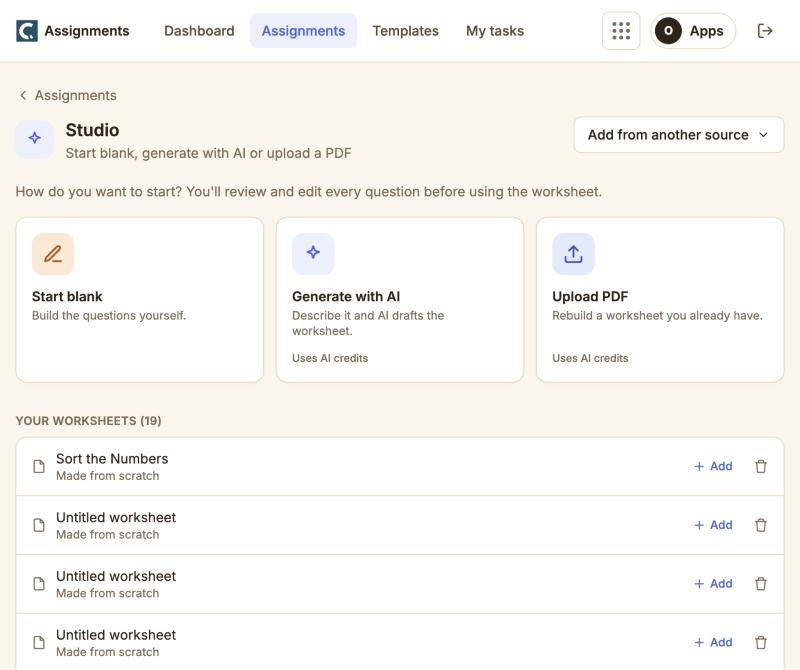
Every worksheet starts the same way: pick a subject, describe what you want, and AI drafts the questions — multiple choice, short answer, or full working-out for maths. Already have a worksheet on your laptop? Upload the PDF and it's rebuilt as a real, self-marking one in seconds. Either way, you review and edit every question before it goes out.
Beyond multiple choice
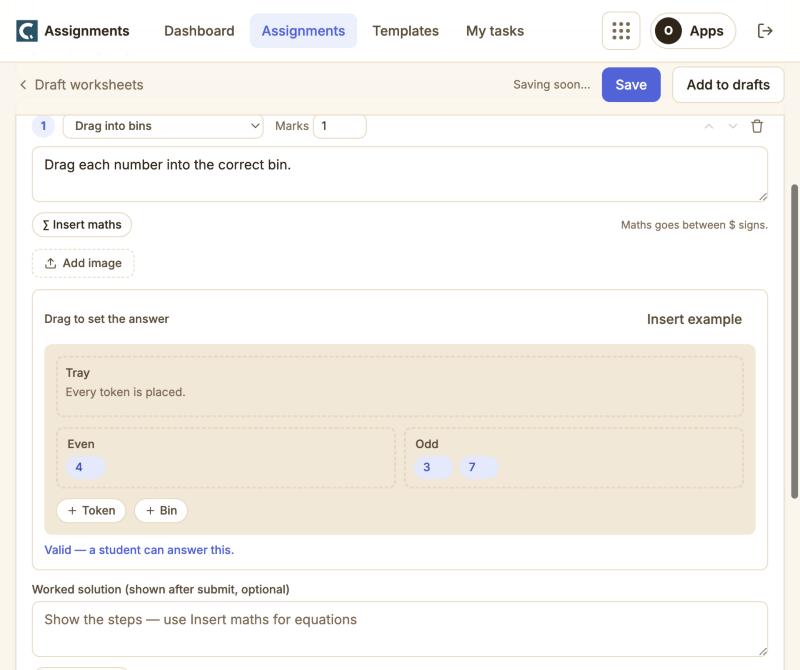
Not every question is "pick one of four." For younger learners especially, dragging, placing and sorting teaches better than typing. Drag a number into a bin, a pin onto a number line, or a bar to its value — you set the answer by doing it yourself, the same way a student will.
One link for everyone
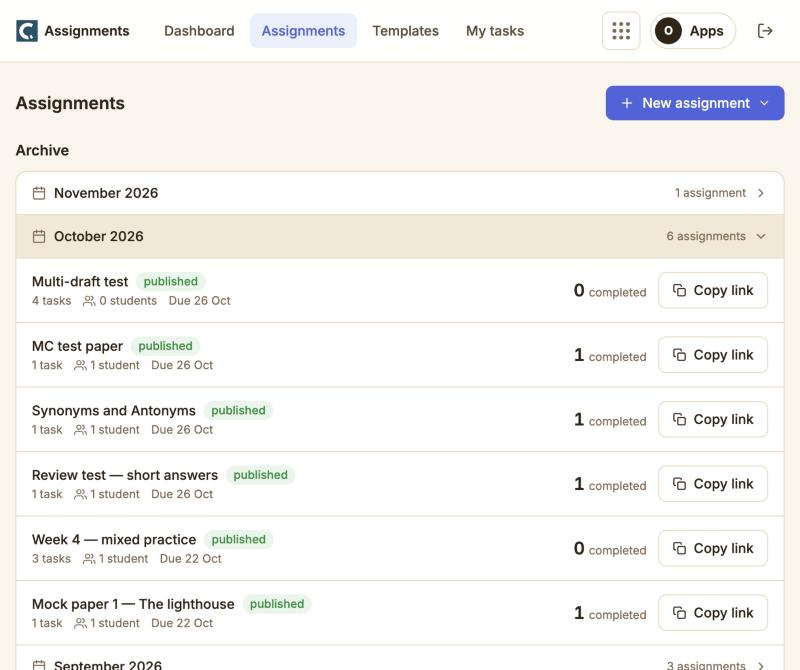
Publish once and you get a single link for every task in the assignment. Paste it in a WhatsApp group, email it, or add your own students by name and they get it on their dashboard automatically — their parent is told too, if that's how they're set up.
A reason to come back
Every finished assignment feeds the same dashboard: scores, who's behind, and what a student got stuck on. Tutors build a library of their own worksheets and reuse them across classes; parents on a linked account see results land without asking. It's the difference between a one-off worksheet and a routine the whole term runs on.
Real feedback, not just a score
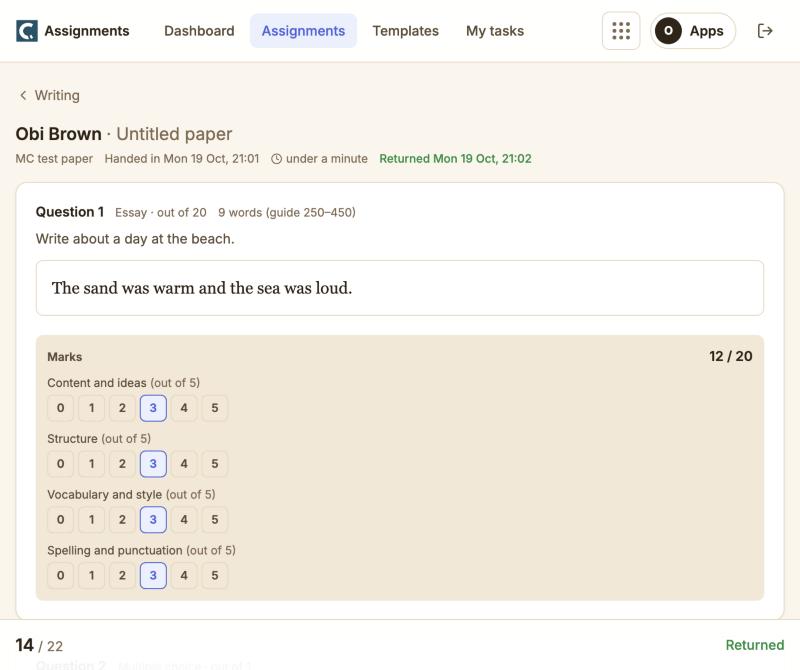
Multiple choice grades itself instantly. Written answers get AI-assisted marking against a rubric you set, so a student sees what they got right, where they lost marks, and why — not just a number. You review and adjust any mark before it's final.
Everything, in one place
Assignments sits alongside Classspace's other tools for tutors and schools, so a worksheet you build here can go to a class you already teach on Classspace, or just stand alone with its own link. No setup beyond an account — you're writing your first worksheet in under two minutes.
Free to start
Every tutor and teacher gets a free Classspace account. Build your first self-marking worksheet, share the link, and see the results come in — no card required.